An AI outfit planner for the clothes you already own
StyleTwin is a free outfit planner for iPhone and iPad with AI where it helps. Ask for a look in your own words and get outfits made only from your own closet, for the weather and the day you need them.
Last updated: November 1, 2026
The short answer: tap the round button on Today and say what you need, like “dinner Friday, not too dressy”. StyleTwin answers with up to three looks made only from clothes in your closet, for that day’s weather. Ask for a look is free and uses no AI credits.
What the AI does
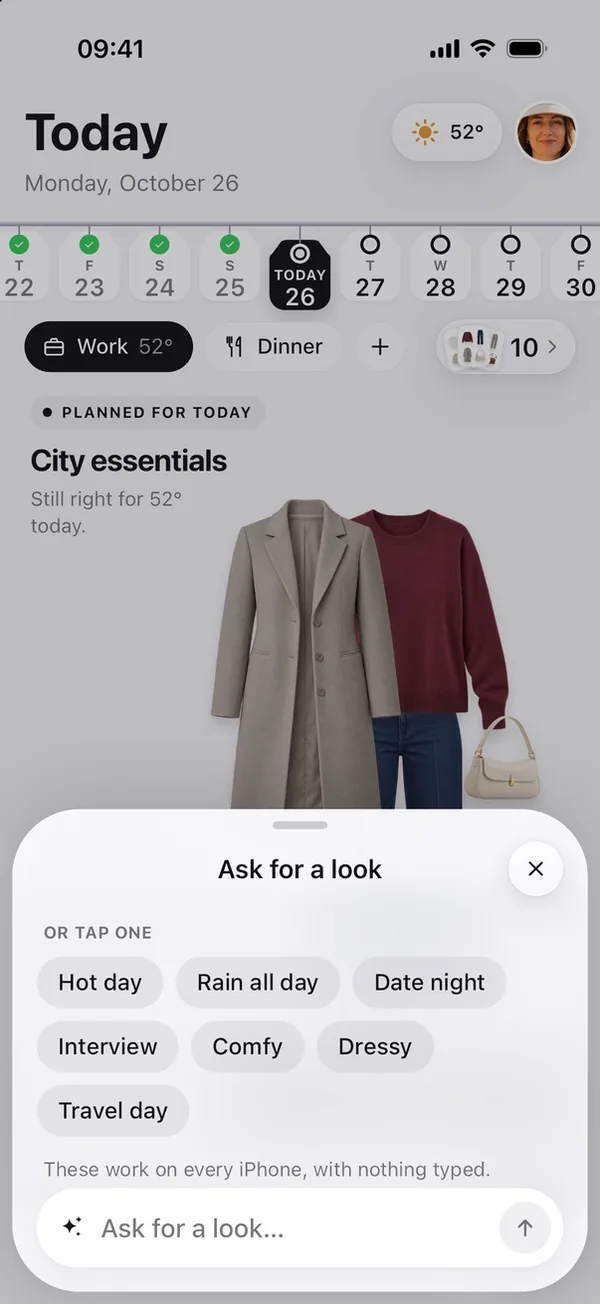
- Ask for a look. Type what you need, or tap a quick choice like Rain all day, Interview or Date night. StyleTwin works out the day, the weather and how dressy to go, and answers with up to three looks from your closet. When nothing fits, it shows the nearest look and names the one piece that would make it work.
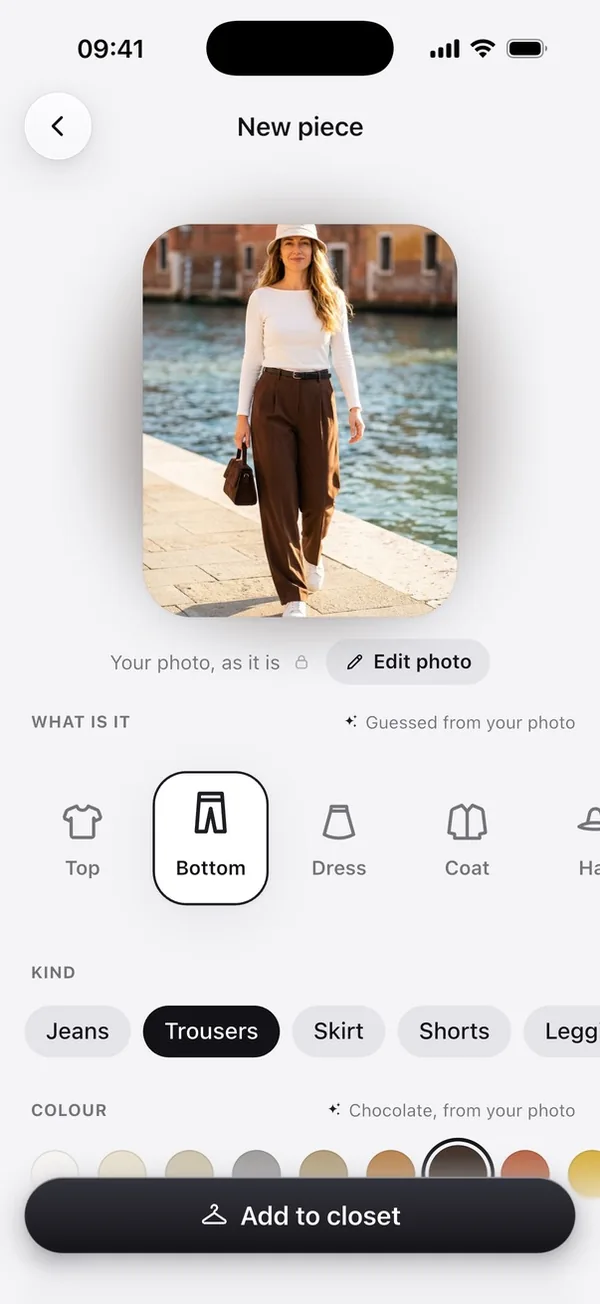
- It reads your photos as you add clothes. When you add a piece, StyleTwin guesses what it is and its colour from the photo, on your phone. It also spots what’s off in the photo, like a hand in the shot or a piece cut off at the edge, and offers the fix.
- It learns what you like. Hold a look and say what’s off: too dressy, too warm, not these two together, or not your style. Later ideas avoid it, and you can see and undo what it learned under You.
What you can ask for
- An occasion. “Interview tomorrow”, “wedding guest Saturday”, “rooftop dinner”.
- The weather. “Rain all day”, “hot day”, or nothing at all: every answer already fits the forecast for that day.
- A dress code. “Not too dressy”, “comfy”, “smart”.
- A piece to wear or skip. “With my white sneakers”, “no heels”.
The quick choices (Hot day, Rain all day, Date night, Interview, Comfy, Dressy, Travel day) work on every iPhone and iPad, with nothing typed.
Optional AI extras
New users get 3 free AI credits. Each of these uses 1, and a picture that fails gives its credit back:
- Lift with AI. One photo of an outfit becomes a product shot of each piece for your closet, in about 20 seconds. More in turn one outfit photo into separate clothing items.
- Create with AI. See an outfit from your closet on a photo of you. More in see it on you.
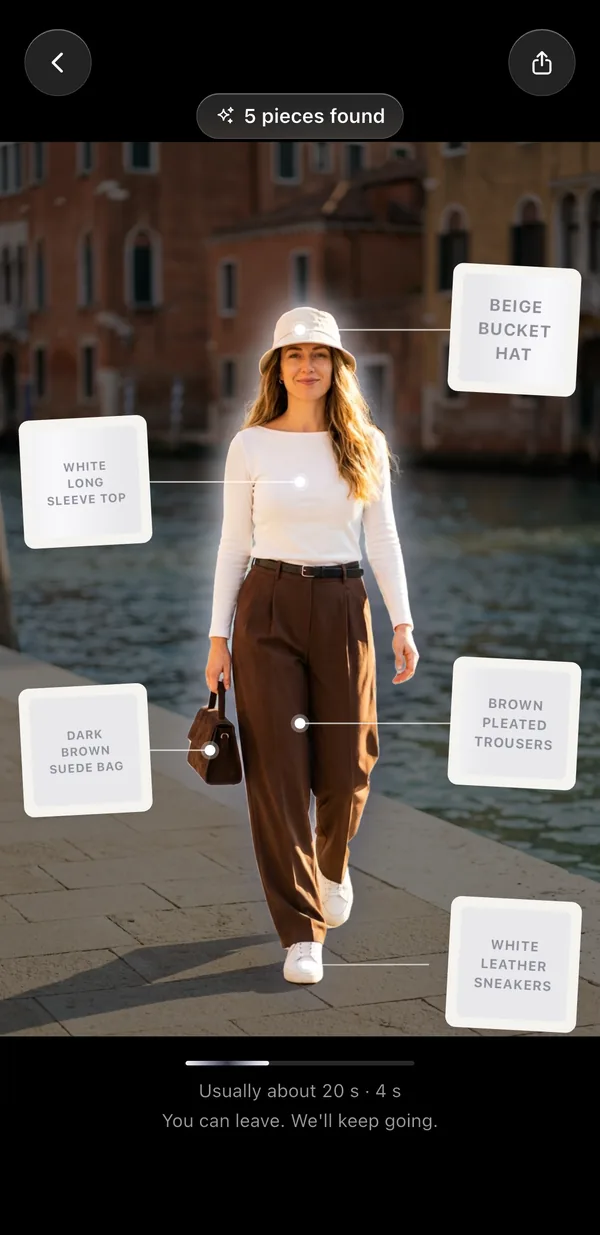
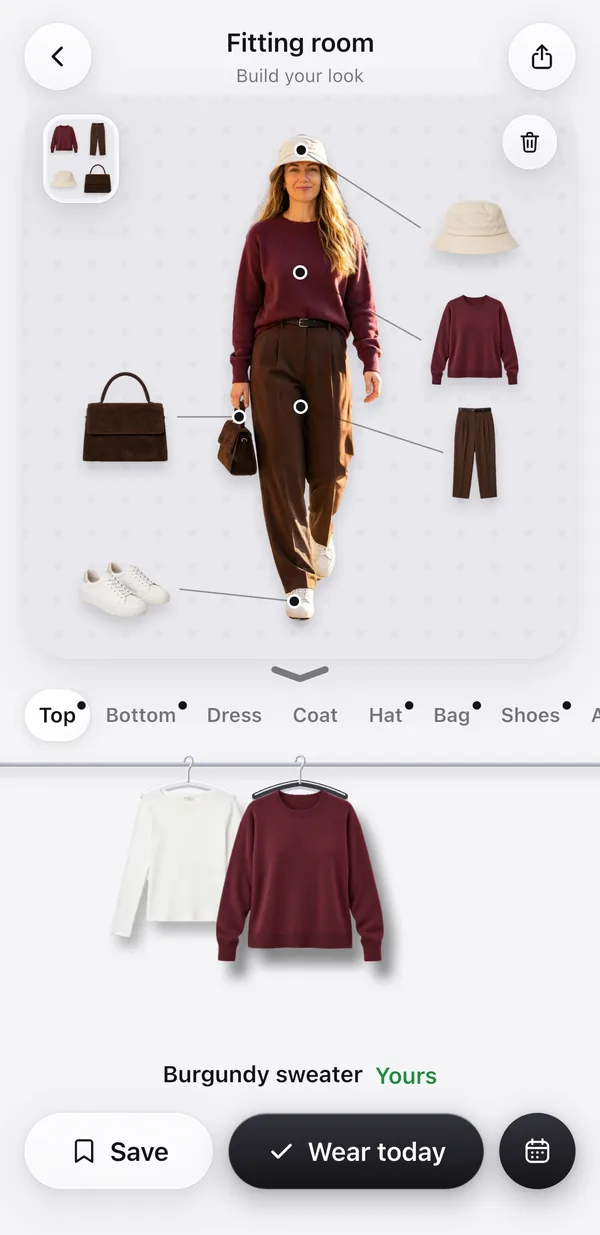
The woman in these pictures is AI-generated, not a real person. Both results are real, unretouched runs of the app.
The planner around it
The rest of the planner uses no credits. Today suggests looks from your closet for each day and moment, for the weather from Apple Weather and your calendar events. Put a look on any day from the day strip, and a trip gets a look for every day plus a packing list. See the outfit planner and outfits for the weather.
Comparing apps? See AI stylist apps, compared.
Good to know
- Your closet photos stay on your phone. The guesses and photo help work on your phone too.
- Ask for a look reads your typed words on your phone first, with Apple’s on-device model where your device has one. They go to our AI provider only if you allowed AI features, and they aren’t kept.
- Lift with AI and Create with AI send the photo you pick, after you allow it once. Our server deletes it within 48 hours.
Questions
Is there an AI outfit planner that only uses my own clothes?
Yes. StyleTwin, free on iPhone and iPad, makes every look from clothes you’ve added to its closet. Ask for a look in your own words, like “rooftop dinner, rain”, and you get up to three looks from your closet for that day. It never fills a look with clothes you don’t own.
Is StyleTwin’s AI free?
Ask for a look, Today’s outfit ideas and the guesses when you add a piece are free and use no AI credits. The two AI picture features, Lift with AI and Create with AI, use 1 AI credit each, and new users get 3 free credits.
Is StyleTwin an AI stylist?
Ask for a look is the part that works like a stylist you can text. Say what you need, for which day and how dressy, and it answers with looks from your own closet. When nothing fits yet, it says so and names the one piece that would make it work, and it learns from the looks you turn down.
What can I ask for?
Anything about what to wear: “dinner Friday, not too dressy”, “interview tomorrow”, “rain all day, no heels” or “with my white sneakers”. Or tap a quick choice: Hot day, Rain all day, Date night, Interview, Comfy, Dressy or Travel day. The quick choices need nothing typed.
Does the AI see my photos?
Your closet photos stay on your phone, and the guesses about a new piece are made there. A photo leaves your phone only when you use Lift with AI or Create with AI, after you allow it once, and our server deletes it within 48 hours. It isn’t used to train AI models.
Can StyleTwin plan my outfits for the week?
Yes. Today suggests looks from your closet for every day and moment, fitted to the weather and your calendar events, and you can put any look on a day from the day strip. For a trip, StyleTwin plans a look for every day plus a packing list. None of it uses credits.
More about StyleTwin
StyleTwin is free on iPhone, iPad and Android.