Free outfit maker with your own clothes
Combine tops, bottoms, outer layers and shoes on an interactive remix board right here — then photograph your own wardrobe in StyleTwin to build, save, and try on real outfits on iPhone, iPad and Android.
Last updated: November 29, 2026
The short answer: an outfit maker lets you mix and match garments visually before getting dressed. Test combinations right below with piece-locking and instant color notes, or use StyleTwin’s free fitting room app (iPhone, iPad and Android) to turn up to 100 photos of your own clothes into clean cutouts you can style in seconds.
Build unlimited outfits from your real clothes — free up to 100 pieces, no ads, no account needed to start.
Get it on the App StoreGet it on Google Play
Free up to 100 pieces · No ads · On-device privacy · iPhone, iPad & Android
How to make outfits with your own clothes
Building looks visually works best when every garment has a clean background and sits on one uncluttered board.
- Add pieces effortlessly. Photograph items on a hanger or bed, choose photos from your gallery, or grab a video frame. StyleTwin removes every background automatically on your phone for free — or use Lift with AI to split a single outfit photo into separate garment cutouts for 1 AI credit.
- Mix on the fitting room board. Scroll your clothes rail by category (tops, bottoms, dresses, coats, bags, hats, shoes) and tap any piece to swap it onto the board. Tap Dress me in it on a single item to build fresh outfits around it.
- Save, check, or try on. Save combinations to Outfits, get a quick critique from StyleTwin’s AI stylist, or tap See it on you for virtual try-on on your real photo.
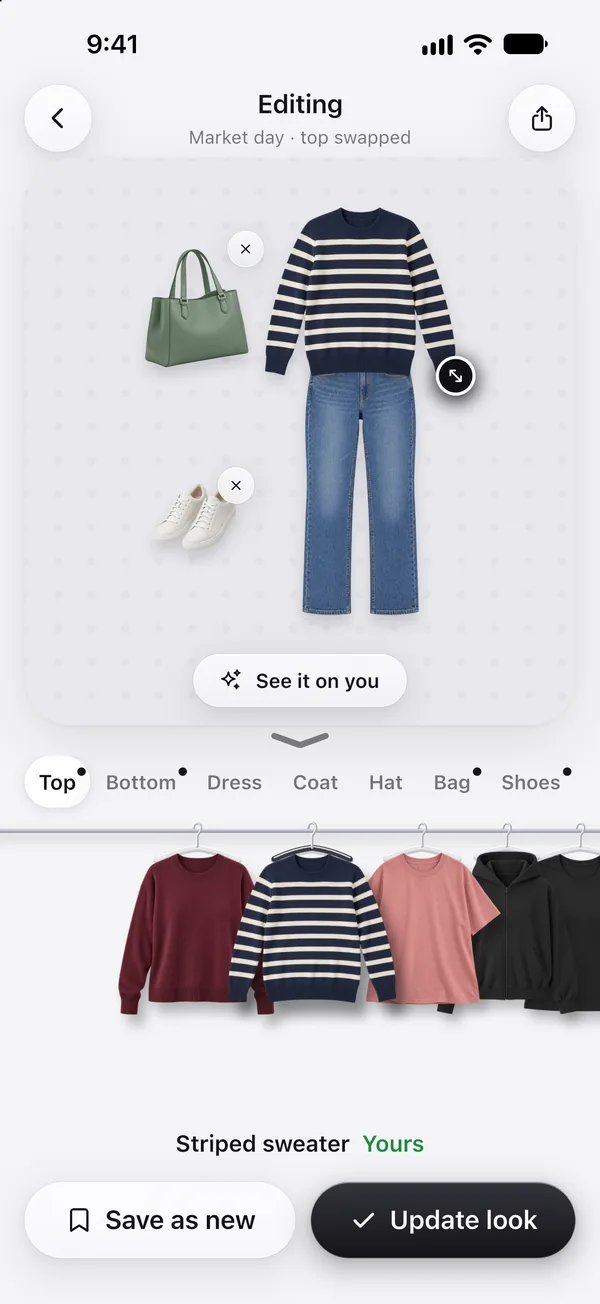
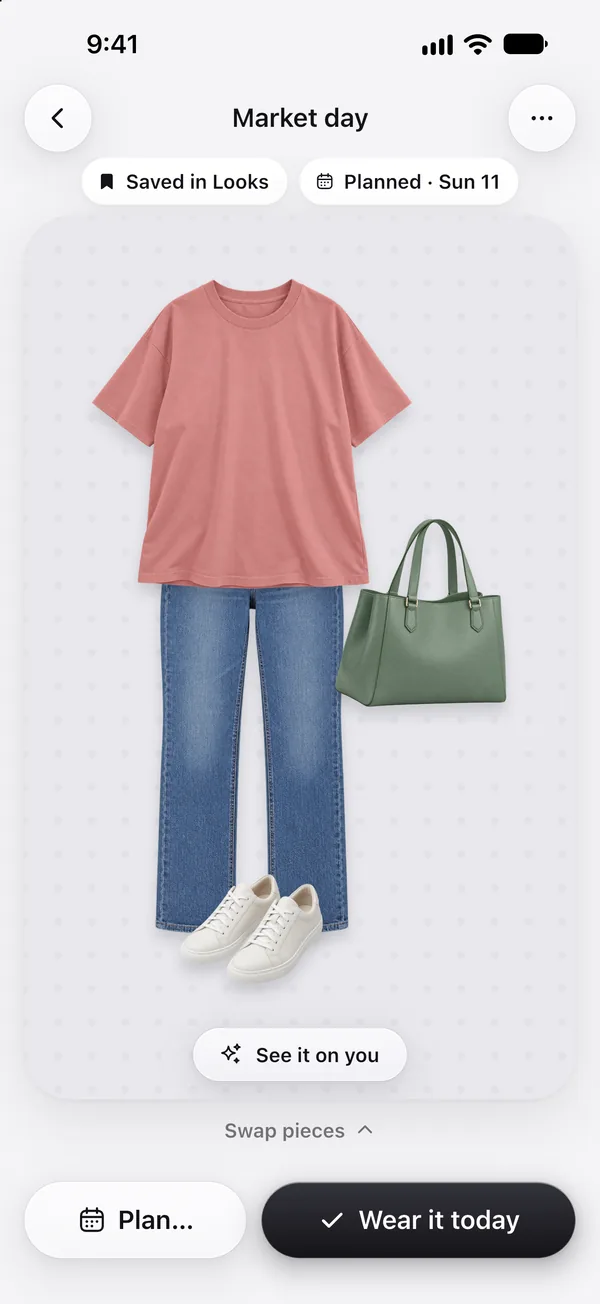
Pull pieces from your own clothes rail onto the board and save your favorite combinations.
Get it on the App StoreGet it on Google Play
Free up to 100 pieces · No ads · On-device privacy · iPhone, iPad & Android
Outfit maker vs. outfit planner: when to use each
| Outfit maker | Weekly outfit planner | |
|---|---|---|
| Goal | Experiment with silhouettes, colors and forgotten pieces | Lock in what you will wear on Mon–Sun or on a trip |
| Workflow | Lock an anchor piece, swap tops/layers/shoes, save looks | Pick a day, match the forecast & calendar events, set reminders |
| Best moment | Sunday closet refresh, seasonal swaps, or before shopping | Busy work mornings, weather swings, and carry-on packing |
| Try online free | Right at the top of this page | Open our free weekly outfit planner |
Want automated look ideas before tweaking manually? Switch to our AI outfit generator, count how many combinations your wardrobe already holds in the outfit combinations calculator, or check pairings in the outfit color-combo matcher.
Unlocking more outfits without buying anything new
Most closets already hide hundreds of unworn combinations — we just default to the same 10 favorites because everything is squeezed onto hangers.
- Start with an unworn piece. Filter your digital wardrobe by Not worn in 30 days or check “No outfit with this piece yet” to put forgotten items back into rotation.
- Test before you buy. In a store, photograph a garment on the rack and StyleTwin calculates how many new outfits it creates with what you already own — locally on your phone with zero AI credits.
- Borrow proven blueprints. Explore repeatable templates in business casual outfit inspiration, work outfit inspiration, and minimal outfit inspiration.
Good to know
- The browser outfit maker above works with zero account and exports a clean PNG card of your outfit.
- The StyleTwin app is free to download with no ads, up to 100 closet pieces free, free on-device background cutouts, and 5 free AI pictures in your first two weeks (3 at launch + 2 bonus).
- Works natively on iPhone, iPad (iOS 17.6+) and Android (Android 12+).
Questions
What is the best free outfit maker with your own clothes?
StyleTwin is a free outfit maker and digital wardrobe for iPhone, iPad and Android with no ads and no sign-up required to start. Add up to 100 of your own pieces free with automatic on-device background removal, mix them visually on a fitting room board, and save unlimited outfits.
Can I make outfits online without downloading an app?
Yes. Use the interactive outfit maker board above to filter by occasion, weather and style, lock any garment you want to keep, remix combinations, and download an outfit PNG card directly from your browser.
How does StyleTwin cut out my clothing photos?
When you photograph a piece or pick one from Photos, StyleTwin removes the background and tags its category, color and warmth locally on your phone for free. If you have a photo of yourself wearing a full outfit, Lift with AI extracts each garment into its own studio-clean cutout for 1 AI credit.
How many outfits can I make from a small closet?
Even a compact wardrobe multiplies quickly: 5 tops and 6 bottoms create 30 base outfits, and adding 2 coats doubles that to 60 looks. StyleTwin counts your exact total automatically, or you can test any closet size in our outfit combinations calculator.
Can I see an outfit I made on a photo of myself?
Yes. Tap See it on you on any saved or in-progress look to open the free on-device Lookbook beside your photo, or use Create with AI for realistic virtual try-on directly on your photo (1 credit; 5 free credits in your first two weeks).
Is there a limit on how many outfits I can create?
No. Creating, remixing and saving outfits in the fitting room is completely free and unlimited, using zero AI credits.
StyleTwin is free on iPhone, iPad and Android.
Get it on the App StoreGet it on Google Play
Free up to 100 pieces · No ads · On-device privacy · iPhone, iPad & Android